

Top 8 Watermark Remover Apps in 2026: Online, Desktop & Mobile Solutions
 Sara AI Smith
"Is there any free app for removing the watermark of a video clip?"
Quora
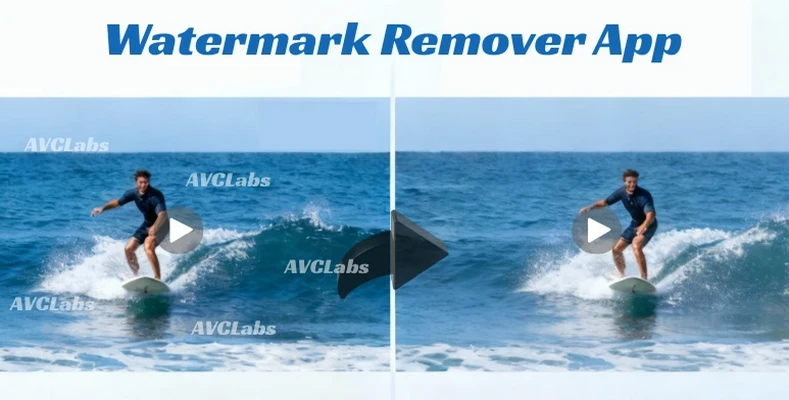
Watermarks are everywhere from downloading Tiktok videos to AI-generated photos and videos. In this article, we've rounded up the top 8 watermark remover apps in 2026, covering online tools, desktop software, and mobile apps. Whether you're looking for a reliable watermark remover app for images or an effective app to remove TikTok watermark from videos, our step-by step tutorial helps you find the best solution.
- Part 1: Best Watermark Remover Tools Online (No Download Required)
- Part 2: Best 3 Watermark Remover Apps for Windows & Mac (For Desktop)
- Part 3: Top 3 Mobile Watermark Remover Apps For iOS, Android & iPad
- Part 4: How to Remove Watermark from Video On Desktop (Step-by-Step Guide)
- Part 5: FAQ About Watermark Remover Apps
Part 1: Best Watermark Remover Tools Online (No Download Required)
For most basic image and video watermark removal, you should try below online tools first. AVCLabs provides image and video erasing tools. They are especially suitable for users who do not need advanced editing features and want a quick, hassle-free solution without downloading desktop watermark remover software.
1. AVCLabs AI Video Eraser Online Free
Use It Online: Remove Watermark From Video
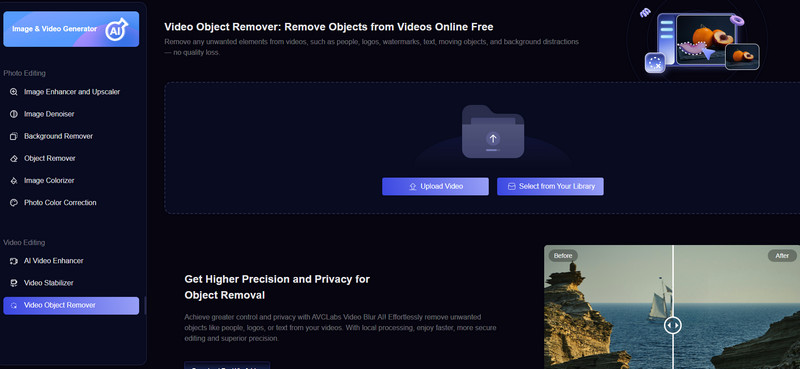
AVCLabs AI Video Eraser is an easy-to-use website tool. You can use it online for free to remove watermarks, people, and text from videos. After uploading your clip, you can choose to remove watermarks from a fixed location or track objects. Therefore, this online tool can handle both static and dynamic watermark removal.
However, its maximum video limit of 10 seconds makes it less suitable for longer videos, but it's excellent for handling short AI-generated video clips. For example, you can use AVCLabs AI Video Eraser to remove Sora and Sora2 video watermarks online for free.
2. AVCLabs AI Photo Remover Online Free
Use It Online: Remove Watermark from Photo
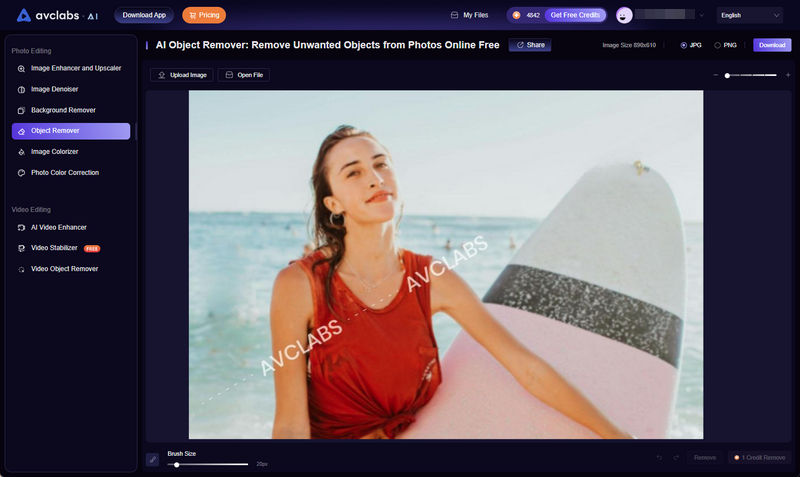
AVCLabs AI Photo Remover excels at image removal on any browser. It not only cleanly removes watermarks but also allows for precise image editing, helping you clean up backgrounds in selfies and remove unwanted accessories.
Unlike other AI Photoshops, it doesn't require you to adjust different image layers; instead, an AI model handles all types of watermarks. Besides being easy to use, it preserves the image's background during watermark removal. Whether it's a semi-transparent watermark or a full-screen PDF watermark, AVCLabs AI Photo Remover can handle it cleanly.
Part 2: Best 3 Watermark Remover Apps for Windows & Mac (For Desktop)
| Tools | Best for |
|---|---|
| AVCLabs Video Blur AI | Removing static or dynamic watermarks from video precisely |
| HitPaw Watermark Remover | Erasing static watermarks from videos and photos |
| iMyFone MarkGo | Batch editing image watermark removal on Mac |
1. AVCLabs Video Blur AI - Best for Removing Watermark & Object
Available on: Windows and macOS
Website: https://www.blurvideo.ai
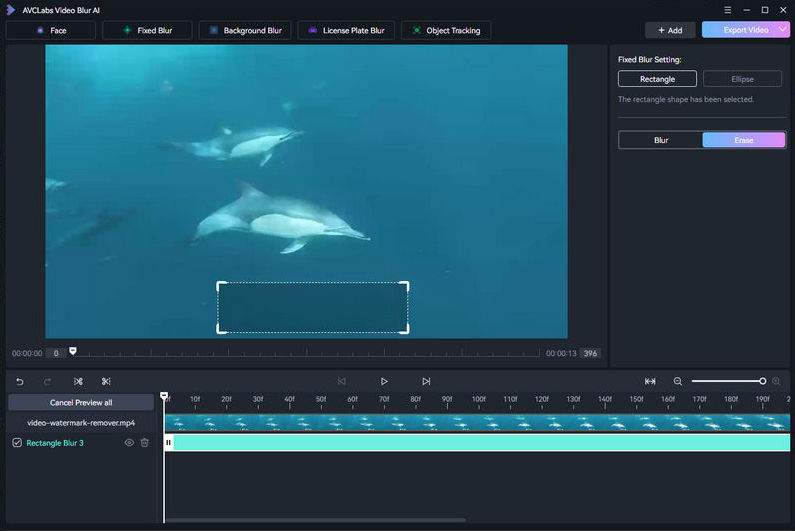
AVCLabs Video Blur AI is a easy-to-use but professional video watermark removal tool. It's also the best tiktok watermark remover app in 2026, as well as watermarks from other platforms such as Instagram. It can reliably track the movement of dynamic watermarks in these platforms and remove them with high precision. In addition, it offers fixed-area masking for erasing static watermarks and other objects. Even semi-transparent or hidden watermarks can be accurately detected and intelligently removed. By erasing the selected areas, it automatically reconstructs the video background.
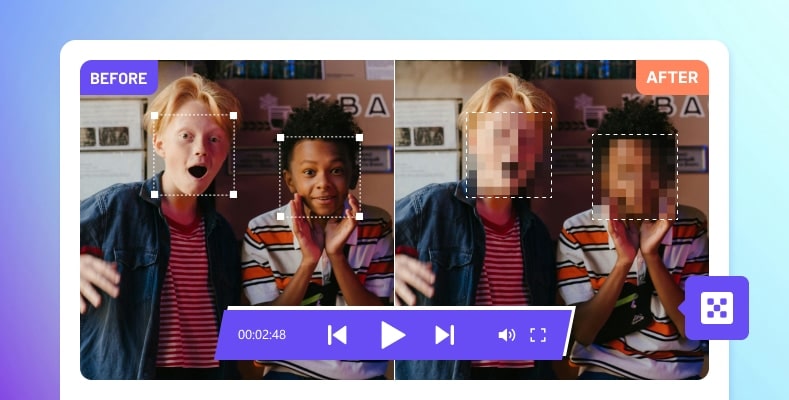
Beyond object and watermark removal, AVCLabs Video Blur AI also supports masking license plates, blurring faces, and protecting sensitive information with AI-powered tracking in kinds of blur types. This makes it especially suitable for processing news footage, documentary content, and videos intended for public sharing. It can automatically follow moving objects and apply consistent blurring or masking throughout videos. It also provides manual frame-by-frame editing for watermark removal and video blurring. For example, adjust the effect duration, size, and type according to your needs. With reliable tracking and precise control, it helps creators protect privacy while maintaining a clean and natural video visual.
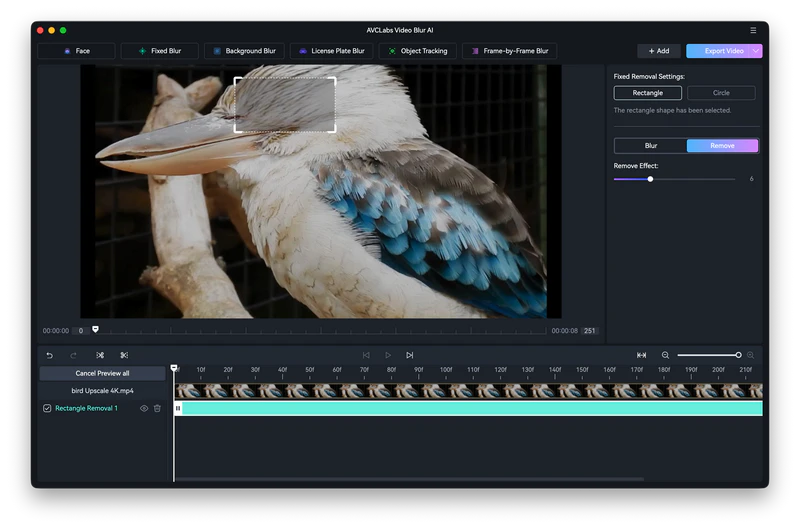
In this test video, we moved the erasing effect on a bird's eye using AVCLabs Video Blur AI to remove. We can preview the effects in real time during the adjustment process. The removal result was surprisingly good; the selected area blended very naturally with the surrounding environment, and it showed no flickering or blurry segments during playing. More importantly, it offers a free trial.
Pros
- Delivers the best results when removing dynamic video watermarks.
- Allows you to create and save custom removal templates.
- Allows GPU-accelerated video removal.
- Offers custom export settings.
- Provides real-time preview.
Cons
- Unable to remove watermark from photo.
- Certain equipment requirements are necessary.
How to Remove Watermark from Videos In 1 Minute ⚡ | Easy Tutorial 2026
👍 Read More: How to Remove TikTok Watermark Free Online
2. HitPaw Watermark Remover - Best for Static Watermarks in Images & Videos
Available on: Windows and macOS
Website: https://www.hitpaw.com/remove-watermark.html
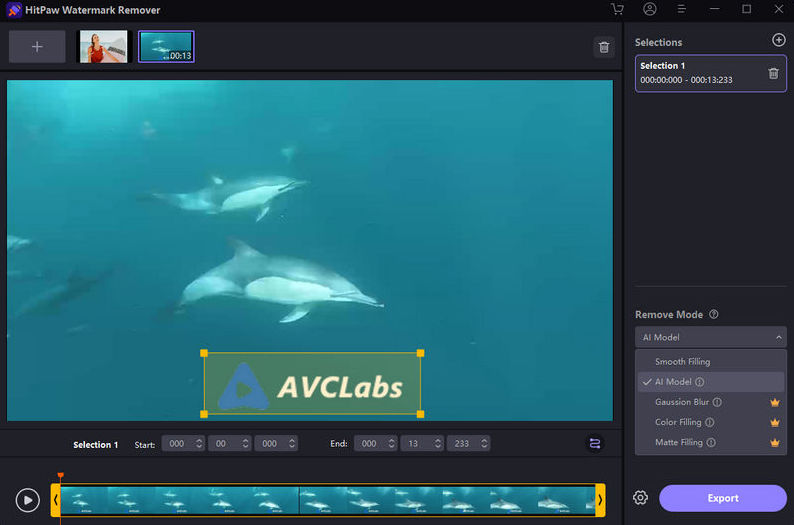
HitPaw Watermark Remover can remove watermarks from video and photo in a simple way. It offers 5 modes in video watermark removal. AI Mode is suitable for all types of watermarks. Matte Filling is ideal for videos with similar textures or patterns around the watermark. Color Filling can works well in video with a monochromatic background. Smooth Filling can create a smooth transition in both horizontal and vertical directions. Gaussian Blur is used to blur the watermark area to blend it in with the background.
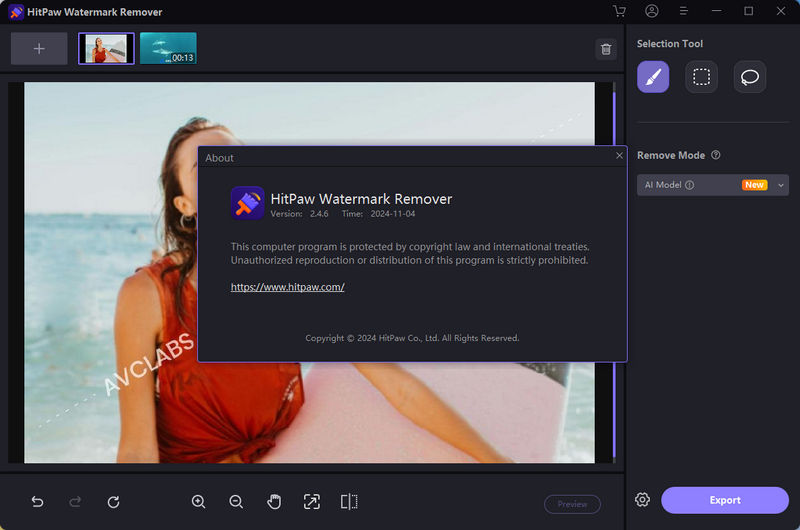
For image watermark removal, you have 4 models to choose from in HitPaw Watermark Remover: AI Mode, Edge Filling, Smooth Filling, and Texture Repair. The last model is designed for photos with complex backgrounds. Also, you can import multiple images here, and then use the thumbnails displayed at the top of the editor to remove watermarks from batch images.
Pros
- Works for both video and image removal.
- Offers 4 different remove model.
- Allows to export 2 photos in free trail.
Cons
- The free version does not support video export.
- The update frequency and feature iteration are slower.
3. iMyFone MarkGo - Best for Batch Image Watermark Removal on Mac
Available on: Windows and macOS
Website: https://filme.imyfone.com/watermark-remover/
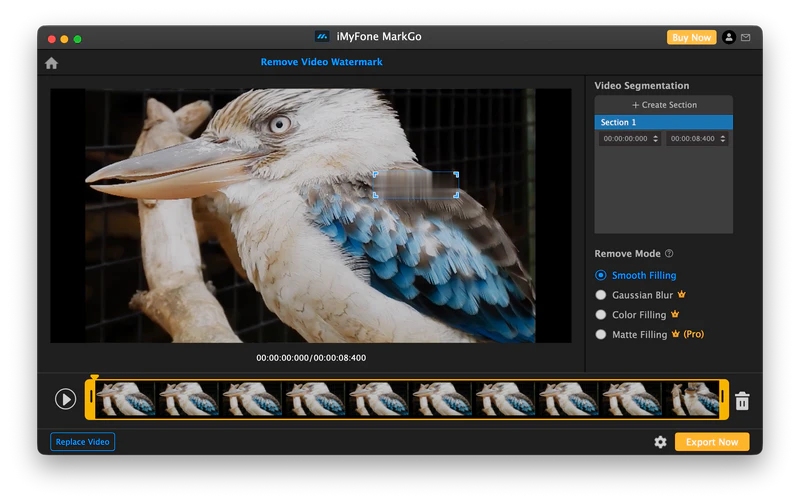
iMyFone MarkGo is a lightweight video and image removal tool. It runs smoothly on Mac, with a clean and uncluttered interface that blends seamlessly with the Mac ecosystem, and intuitive button design. It offers four models for video watermark removal, but the free version doesn't offer a great experience because it only provides one video remove model: Smooth Filling. And, this model's effect is less like video removal and more like video blurring.
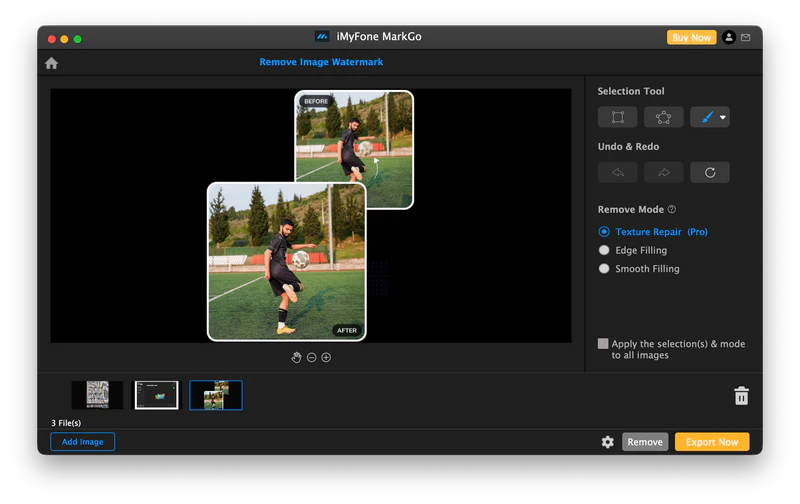
It offers 3 tools for removing image watermarks: a square tool, an irregular shape tool, and a brush (with adjustable thickness). Additionally, iMyFone MarkGo allows you to add multiple images with same settings in one click. Its simple user interface is very user-friendly for those without editing experience, similar to a mobile app.
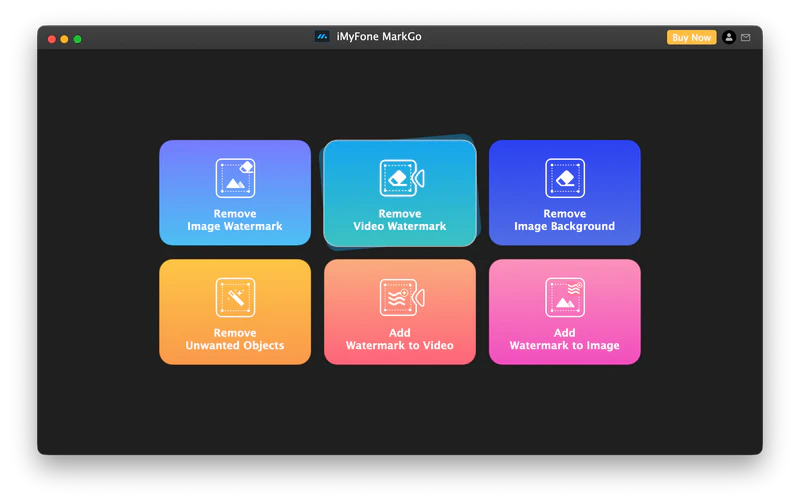
iMyFone MarkGo is a versatile tool that not only can remove watermarks from your videos and images, but it also supports background and object removal for images. You can also use it to add watermarks to your images or videos, and can add watermarks to multiple images at once.
Pros
- Supports one-click synchronization of all image settings.
- Includes extra features besides watermark removal.
- Multiple image erasure options are available.
- Offers a clean, macOS-style interface.
Cons
- Video watermark removal is highly restricted in the free version.

Part 3: Top 3 Mobile Watermark Remover Apps For iOS, Android & iPad
| Mobile Apps | Best for |
|---|---|
| AI PhotoDirector | Removing watermarks from photos using iPhone |
| SnapEdit | Cleaning watermarks and objects from photo for Android |
| Video Eraser | Editing video watermark removal for iPad users |
1. AI PhotoDirector: Top iOS Watermark Remover App You Should Try
Available on the App Store: https://apps.apple.com/us/app/photodirector-ai-photo-editor/id907366587
AI PhotoDirector is an AI-powered image editing app that removes watermark and objects as its core functions, and it has gained a large and stable user base within the iOS ecosystem. It can identify various elements in images, such as watermarks, passersby, and clutter.
Among these mobile apps, it produces the cleanest removal results for images with complex backgrounds and low lighting. The areas automatically erased blend well with the natural environment, maintaining straight lines even in complex backgrounds.
Besides image removal, you can also use AI PhotoDirector for adding filters and image color correction. If you need AI-generated images, there are also paid plans that offer AI image generation and other features.
👍 Discover More: AI Image Generator Free Online: Create Image from Text and Image

2. SnapEdit: Top Remove Watermark Apps for Android
Available on Google Play: https://play.google.com/store/apps/details?id=snapedit.app.remove&hl=en
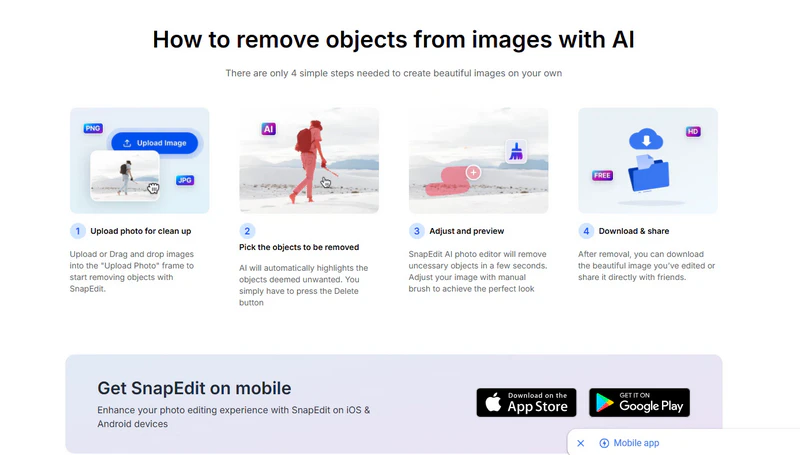
SnapEdit is a highly efficient image erasing tool, widely used by Android users. It supports batch processing of multiple images, making it ideal for Temu e-commerce sellers and social media operators. SnapEdit's AI erasing function can quickly identify watermarks, text, and unwanted elements in images. The watermark erasing effect is natural, and the background transition is smooth. In addition, it supports one-click enhancement to fix blur issues and can export images at resolutions up to 4K.
In addition to basic AI watermark removal, SnapEdit also offers features such as old photo restoration, background removal and replacement, and sticker addition. The paid version supports processing up to 50 images at once and is available for both Android and iOS. When using AI functions, although images are processed in the cloud, the files are automatically encrypted, and a manual deletion function for the original images is provided, ensuring security.
3. Video Eraser: Best iPad Watermark Remover App in 2026
Available on Google Play: https://apps.apple.com/us/app/video-eraser-remove-object/id6453886931
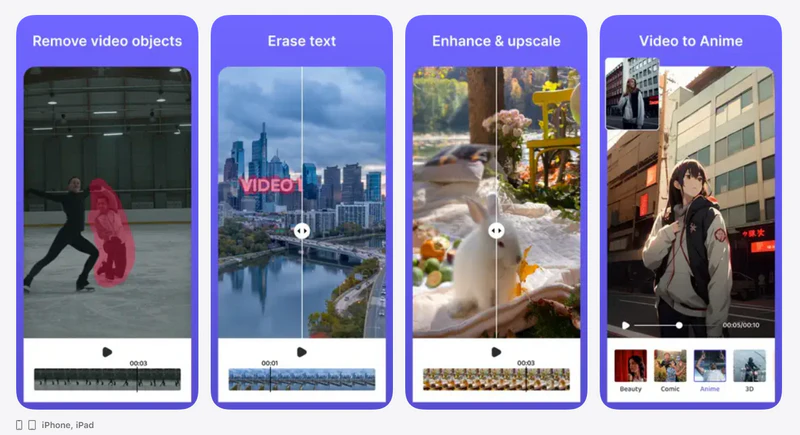
Video Eraser is a watermark remover app that brings professional-grade object removal to the iPad. By leveraging the iPad's larger screen, it offers a level of precision that's simply impossible on a smartphone, making the process of erasing watermarks much smoother and more user-friendly.
Video Eraser can quickly remove text, watermarks, or logos from videos. In simple or relatively static videos, the erasing effect is natural; however, in complex and rapidly changing dynamic scenes, its erasing effect is limited and cannot achieve the same clean results as desktop software.
In addition to video watermark removal, Video Eraser also supports video cropping and splicing; simple image quality optimization; and video noise reduction. After editing, the export speed is fast, making it suitable for cleaning watermarks from short videos. Therefore, it's the best app to remove TikTok watermarks on iPad.
Part 4: How to Remove Watermark from Video On Desktop (Step-by-Step Guide)
Step 1 Import your video to remove watermark
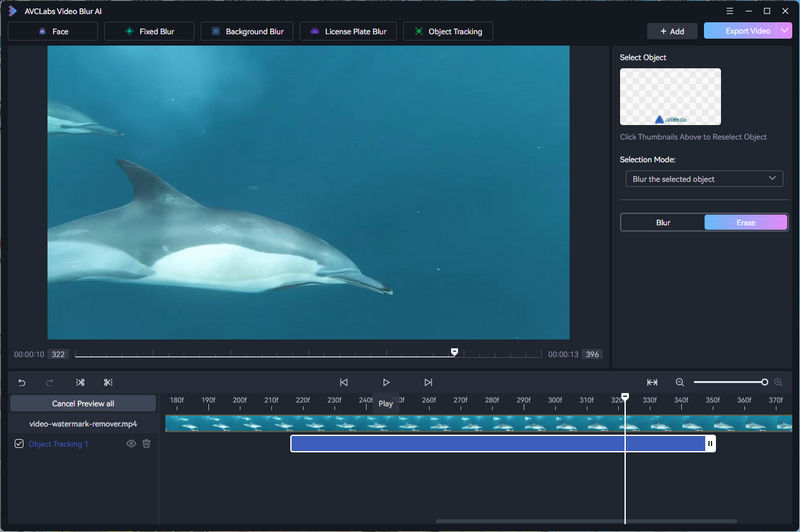
Open AVCLabs Video Blur AI and click on a blank area to import your video. Alternatively, you can drag and drop your video directly into the interface.

Step 2 Select watermark need to remove
Click on the Fixed Blur mode, then switch the Blur mode to Erase mode on the right. You can change the shape from rectangle to ellipse. There's another button in the bottom left corner for previewing; clicking it will allow you to see the effect of the removal in real time. If you don't need to see the effect in real time, simply click "Cancel Preview all".
Step 3 Adjust erase area
It will remove the effect starting from the position you clicked to add it. You can drag the progress bar below to add the effect to any position. By modifying the Selection Mode, you can also remove areas other than those that are selected.
Step 4 Export clean video without watermark
After previewing, click "Export Video" in the upper right corner to download the watermark-removed video. When you hover your mouse over the button, you'll also see an option to save this as a template for future use.

👍 Guess You Like: [Tutorial] How to Blur Face in Video (10 Simple Ways)
Part 5: FAQs about Watermark Remover App
Q1: What is the best software for removing watermarks that is a one time fee or free?
A: AVCLabs Free Online Watermark Remover is a good choice to remove watermarks quickly without software installation. It lets you remove video watermarks directly in your browser with no download needed. For a more powerful desktop solution with a one-time install and advanced editing options, AVCLabs Video Blur AI offers professional-grade watermark and object removal with AI precision.
Q2: What is the best watermark remover software without affecting video background?
A: To maintain resolution while removing watermarks, choose a tool with AI-powered background reconstruction. For heavier tasks or videos, AVCLabs Video Blur AI provides advanced controls and preserves visual quality when removing watermarks from videos.
Q3: What's the best way to remove a watermark from an image?
A: The easiest way to remove a watermark from an image is to use an AI online remover like AVCLabs Image Watermark Remover Free Online. Just upload your image, and then use brush or other tools to cover it. Finally, click Remove to get your clean photos online for free.
Conclusion
This article shares 2 online tools, 3 desktop tools, and 3 mobile applications for removing watermarks from videos and images, including AVCLabs Video Blur AI as the best video watermark remover app. Whether it's removing watermarks from TikTok, full-screen watermarks from images, or videos with Sora watermarks generated by OpenAI, these 8 tools can remove them perfectly, handling almost all your watermark removal in 2026.

Key Features of AVCLabs Video Blur AI
- Detect faces with high accuracy, even in complex scenes
- Track and remove different types of watermark from videos
- Apply various types of blurs or pixelation effects
- Support adjusting the level of blurring to achieve the desired effect
- Recognize and blur specific objects like license plates or logos