

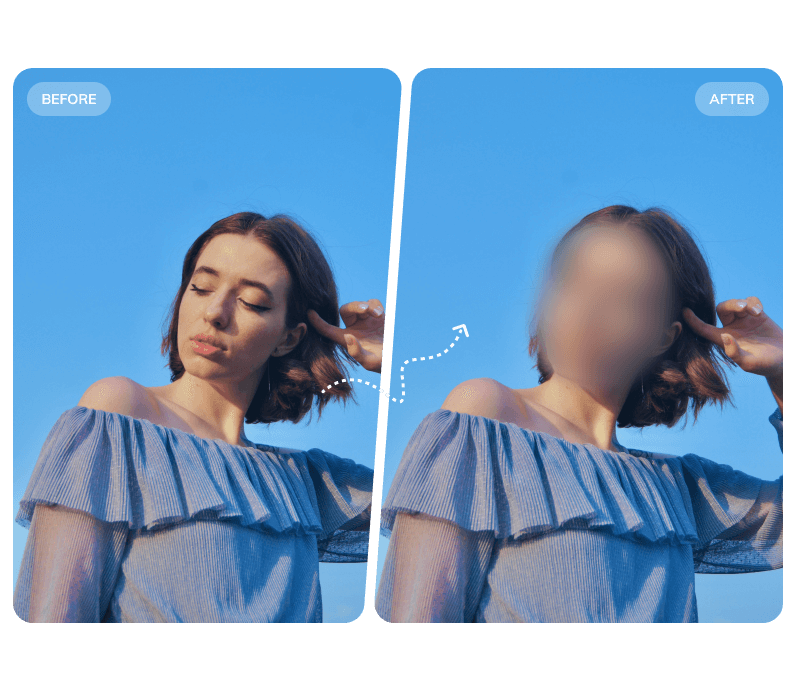
Blur Face in Video

Blur Faces in Video: Flexible Ways

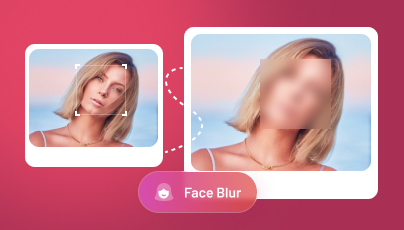
Protect privacy effortlessly with AI-powered face blur. Choose the method that fits your needs: Blur All Faces — automatically detect and blur every face in the video. Manual Selection — freely draw over any area to apply blur with full control.

AI Video Object Remover

Remove Object from Video Seamlessly

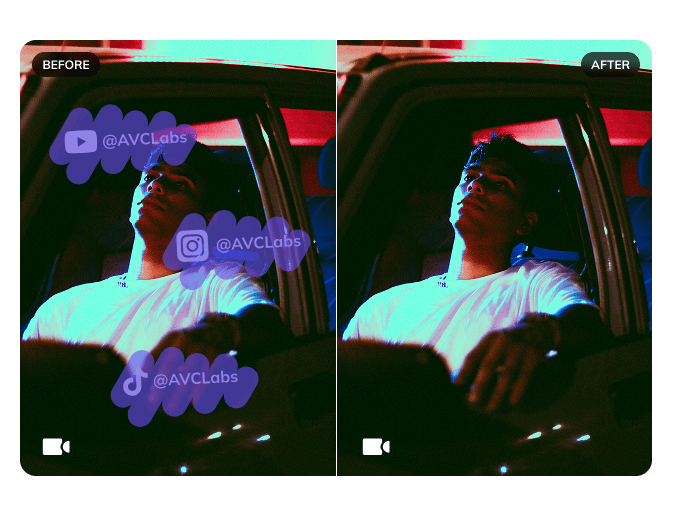
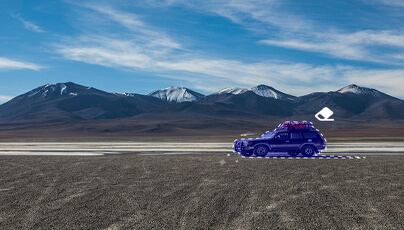
Powered by AI inpainting technology, Video Blur AI removes objects, watermarks, logos, and more — seamlessly reconstructing the background for clean, artifact-free results.

Blur Video Background/Foreground

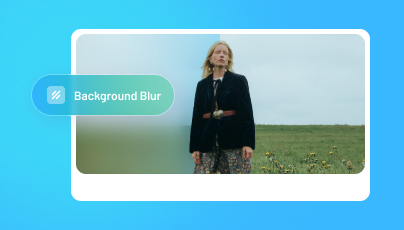
Instantly Blur Video Background

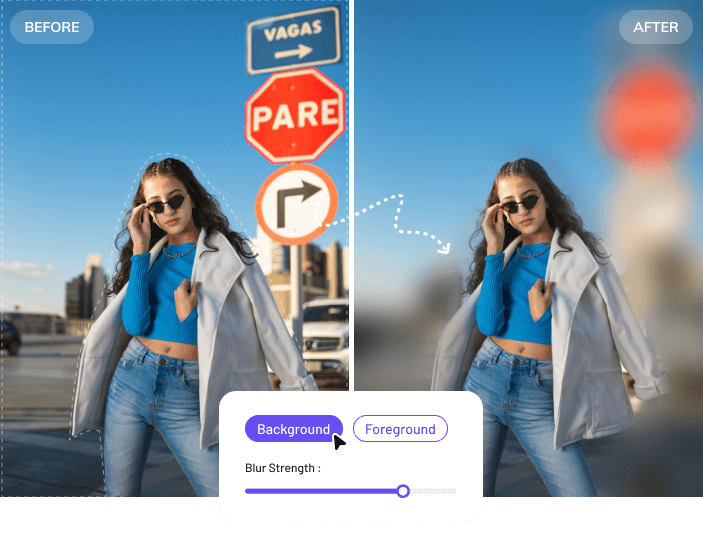
Whether you want to blur the background to keep the subject in focus, or blur the foreground for a cinematic depth effect — Video Blur AI handles both automatically, with frame-level precision and zero manual effort.

Blur All License Plates

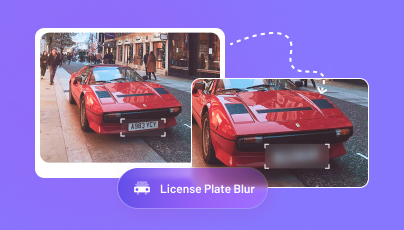
Auto Blur License Plate: Every Frame

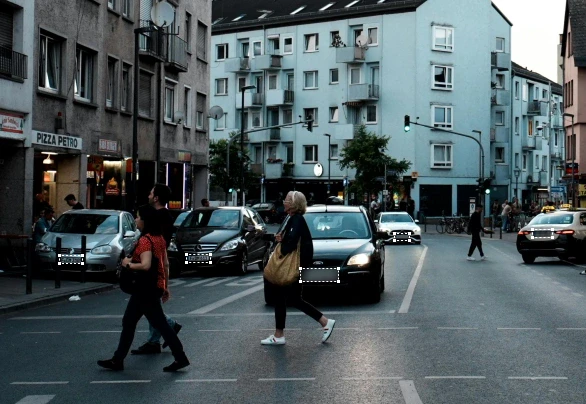
AI automatically detects and tracks every license plate across all frames — no matter the angle, speed, or lighting — keeping all vehicle information consistently blurred throughout the entire video.

Blur Any Object or Region

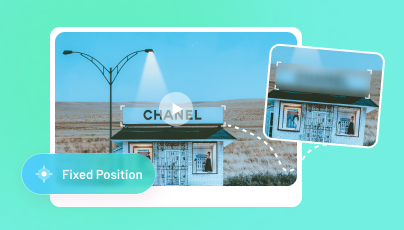
Blur Anything in Your Video with Precision

Apply a fixed blur for static elements, or automatically track and blur moving objects across every frame, keeping your content safe for public sharing.

shape 2
shape 3

Key Features of Video Blur AI

A powerful AI-driven tool to blur faces, license plates, backgrounds, and remove unwanted objects from video — fully automated, no manual editing required.

  • AI Face Blur
  • License Plate Blur
  • Background & Foreground Blur
  • Object Tracking Blur
  • AI Object Remover
about shape
about
title shape
Enterprise-Grade AI Video Redaction Software

Cut Video Redaction Time by 99% - AI Automation

AVCLabs Video Blur AI is built for teams that handle large volumes of footage — automatically blurring faces, license plates, and sensitive regions at scale, with no manual frame-by-frame editing required.

Trusted by post-production studios, media agencies, and enterprise security teams, our solution cuts redaction workload by up to 99% while meeting strict privacy and compliance standards.

About

Enterprise-Ready Redaction Engine

Our AI redaction engine is built on deep learning models trained for real-world footage conditions — crowds, motion blur, low light, and varied angles. It integrates seamlessly into existing post-production and compliance workflows.

About

Recognized Across Global Markets

AVCLabs Video Blur AI has earned recognition from enterprise partners and media agencies worldwide. Our technology has been used in international exhibitions and adopted by organizations across North America, Europe, and Asia-Pacific.

Contact Us
shape
Why Choose Us

Why Choose Us as Your Exclusive Blur Video Editor?

shape
What Makes Us Excellent

AI Video Editor for Automatic Video Blurring

icon ai facial recognition

AI Facial Recognition

Deep-learning-based facial detection automatically tracks and blurs every face without any keyframing or manual adjustment.

icon ai object remover

AI Video Object Removal

AI inpainting technology removes it seamlessly and reconstructs the background across every frame, leaving no visible traces.

icon background subtraction

Background Subtraction

Combine foreground recognition and background subtraction to detect moving objects and allow foreground and background to be extracted.

icon car plate recognition

Car Plate Recognition

Each car has its moving trails and angles. License plate recognition helps recognize all plates and track their moving trails.

Blur Video Editor Powered by AI

AI Video Editing Tool for Your Blurring Video Projects

blur face in video automatically

Automatically Blur Face in Video with High Degree of Precision

The ultimate solutions to automatically blur face in video, for both businesses and individuals. AI accurately detects and tracks faces frame by frame—even in motion, crowds, or complex scenes.

Learn More
blur video background

Instantly Blur Video Background with Enhanced Precision

Video Blur AI can detect and determine what's in focus to separate the foreground and background precisely, then apply the blur effect to let you get a blurred background with ease.

Learn More
blur license plate

100% Automatic Way to Blur All License Plates in Video

AVCLabs Video Blur AI can instantly blur every license plate in video with AI-powered automation that accurately detects and tracks plates across all frames—even in motion or at different angles.

Learn More
blur any parts in video

Auto Detect, Track, and Blur Any Parts/Portions in Video

Apart from the automatic blur of faces, background, and car plates, you can also pixelate any objects, or parts in the video, with the intelligent identifiable of their moving trails.

Learn More
remove object from video

Automatically Remove Unwanted Objects from Video

AVCLabs Video Blur AI lets you effortlessly remove any unwanted objects from your video - effortlessly erase people, watermark, and emoji from videos with AI-powered detection and tracking.

Learn More
WORK PROCESS

How to Blur Video with AVCLabs Video Blur AI

line
process icon 1

Import a Video

Drag and drop to import a video that you want to add blur effect to.

process icon 2

Add Blur Tasks

Select blur tasks: Face Blur, Background Blur, Fixed Blur, or License Plate Blur.

process icon 3

Edit Blur Tasks

Adjust blur type, intensity, and size. Set the start and end that you want to add blur.

process icon 4

Export Blurred Video

Export the blurred video by clicking the "Export" button on the top right corner.

shape
USE CASES

Where AVCLabs Video Blur AI Gets to Work

shape
Frequently asked questions

Frequently Asked Questions About Blurring Video

With AVCLabs Video Blur AI, blurring a face takes just a few steps: import your video, select the Face Blur mode, choose to blur all faces or target specific individuals, and let the AI automatically detect and track every face across all frames. Preview the result, adjust the blur intensity if needed, and export your video — no manual frame-by-frame editing required.
AVCLabs Video Blur AI combines a 99% face detection accuracy rate with a clean, beginner-friendly interface — no editing experience needed. Unlike browser-based tools, all processing happens locally on your device, so your footage is never uploaded to any server. It supports face blur, license plate blur, background blur, and custom region blur, making it a complete privacy protection solution in one tool.
Yes, AVCLabs Video Blur AI offers a free trial that you can download right now. During the trial period, all features are fully accessible. The trial version allows you to export up to 3 redacted videos with a watermark.
Absolutely. AVCLabs is widely used by post-production teams, legal professionals, journalists, and organizations that need to anonymize video content in compliance with GDPR, CCPA, and other privacy regulations. Since all processing is done locally with no data leaving your device, it meets strict data security requirements for enterprise and institutional use.
Yes. Beyond face blurring, AVCLabs supports license plate blur, background blur, and custom region blur — letting you hide any sensitive detail, logo, text, or object in your video. You can apply a fixed blur to static elements or use AI tracking to keep moving objects consistently blurred from start to finish.
Yes, there are free online tools that let you blur video footage. However, most of these tools apply basic, static blur effects — typically covering the entire frame or using fixed manual masks that don't adapt to motion. For more precise control, AVCLabs Video Blur AI offers AI-powered detection and tracking that automatically identifies faces, license plates, objects, or backgrounds, and applies consistent blur even as subjects move across frames.
shape
TESTIMONIALS

Trusted by Teams Who Demand More

Hear directly from editors, studios, and compliance teams who cut their redaction workload with AVCLabs Video Blur AI.

One Click for the Entire Clip

"I found that most of the video editors are so unnecessarily complicated to make a blurred box. Thanks to the face tracing feature, now I can click once and be done for the entire clip."

testimonial
Sarah Scott Video Editor, Freelance

Motion Tracking Done Right

"It took a long time to blur video with some known video editing apps. Why do they have no motion tracking? That's insane! Maybe I'm asking for too much, but now I feel so happy this come true in your blur video tool."

testimonial
George Nichols Post-Production Supervisor

Handles Everything We Throw at It

"Blurring work is extremely tedious when editing. Now, it is nice to see your tool makes the blurred effect on moving options that we select such as children's faces, addresses, license plates, etc."

testimonial
Simon Martins News Broadcast Editor

AI Tracking That Actually Works

"I used the video editor to blur my video, but it took so much time for longer videos. It takes decades to complete 5-minute video. They should use AI for motion-tracking faces or objects, like yours."

testimonial
Andrew Nielsen Content Creator, YouTube
icon

10000+

Finished Project

icon

500000+

Happy Clients

icon

50+

Skilled Experts

icon

10+

Honorable Awards